It is possible that the download link provided above does not refer to the intended version.
If you are looking for Microsoft Office, you may try searching for a download link using
Google.
This video tutorial has been acquired from Downloadtube.com
Review
This is official description
With Office Standard 2010, you can create rich and visual multimedia projects using familiar Office tools. Instead of learning new programs for video, photos, and charts, you can import and edit media for presentations and visualize your data right in the programs you already know.
The following review written by one of the Software Informer contributors applies to version 12.0
In 2007 Microsoft released its new version of their useful and famous Microsoft Office in different editions: Professional, Standard, Home and Students, Small Business, Enterprise and Ultimate edition. Each one of them includes some new releases of their prior programs: Outlook, Word, Excel, Power Point, Access, Publisher and they added some other programs like Outlook 2007 with Business Contact Manager.
Ever since I've been using Microsoft Office I have found lots of features and functions that have helped me a lot to accomplish my tasks. In this precise moment I'm using Microsoft Word to write these lines. Microsoft Office is by far the package that most people and companies use, due to its easiness and user-friendly interface. Office 2007 has reshaped the menu bars and now they are "Tab Bars" where the tools and features of each program are presented as icons instead as texts making them easier to look at a glance. It may be a bit confusing at the beginning since some options have changed from certain menus or those menus have disappeared at all. The Office Icon is present in MS Word and Excel, and this icon delivers all the file tools such as open, save, save as, print and exit. The other features which used to be included in their roll down menus are distributed in the new menus like: "Start", "Insert", "Page layout", "References", and so on. This is completely different as it was before so many users tend to get lost in the menus looking for their applications. As I said before, If you get used to that by finding the tools that you use more, then you'll find that Office 2007 has improved it's way to shorten the time to finish your tasks.
Brand new image.
Many new features.
None.
Reviewed by: Rodrigo Rodriguez
Reviewer rating:
Reviewed: 3 years ago
What's new in version 14.0
OneNote 2010 allows you to pull together everything from daily sales figures to digital images, so all the information you need is easily accessible. You can also create side notes that stay on your screen as you move between different programs, so you can keep your thoughts organized as you multi-task.
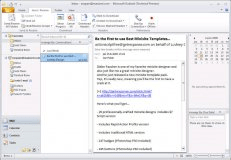
The Conversation View, Clean Up, and Ignore features in Outlook 2010 can remove duplicate information and act like a “mute button” for your inbox. MailTips provide notices before a message is sent to protect information leakage or embarrassing mistakes.
Broadcast Slide Show in PowerPoint 2010 allows you to present a slideshow directly from PowerPoint to any audience member who can access a Web browser.* Simply send out an e-mail invitation with a Web link and the recipients can follow along in their browser while you control the presentation from your PC. Choose between a locally-hosted broadcast service, a free service provided over the Internet through Microsoft PowerPoint Live, or both. Now you can hold spontaneous meetings with customers and partners with security in mind and save on third-party broadcasting tools.
New easy-to-use image and video editing tools, text effects, design templates, and dramatic slide transitions transform any document from simple to sophisticated.
Sparklines in Excel 2010 help show trends in a single cell right next to the corresponding data and new conditional formatting styles highlight specific items such as “max/min” in a single click. Both help turn raw data into smart decisions —from identifying your most profitable customers to tailoring business processes.
Office Mobile 2010 enables you people to share, edit, and comment on documents with their smartphones, using a familiar Office experience best suited to mobile devices.* Also, you can use the Web Apps through the browser of a smartphone to make edits and view documents without losing any formatting or content. Extend your Office experience to stay up to date and do much more than just read e-mail from your mobile device.
And much more...
Comment: I use LibreOffice even after using MS Office for such a long time. I disliked it after Office 2003.
I used to use Office 2010, but there was too much effort to get an MS Office 2010 cracked version to
work correctly with security updates. I miss the layout of Office 2003. I recommend LibreOffice as a
solid alternative to this.